Auto refresh any page, on a timer you set

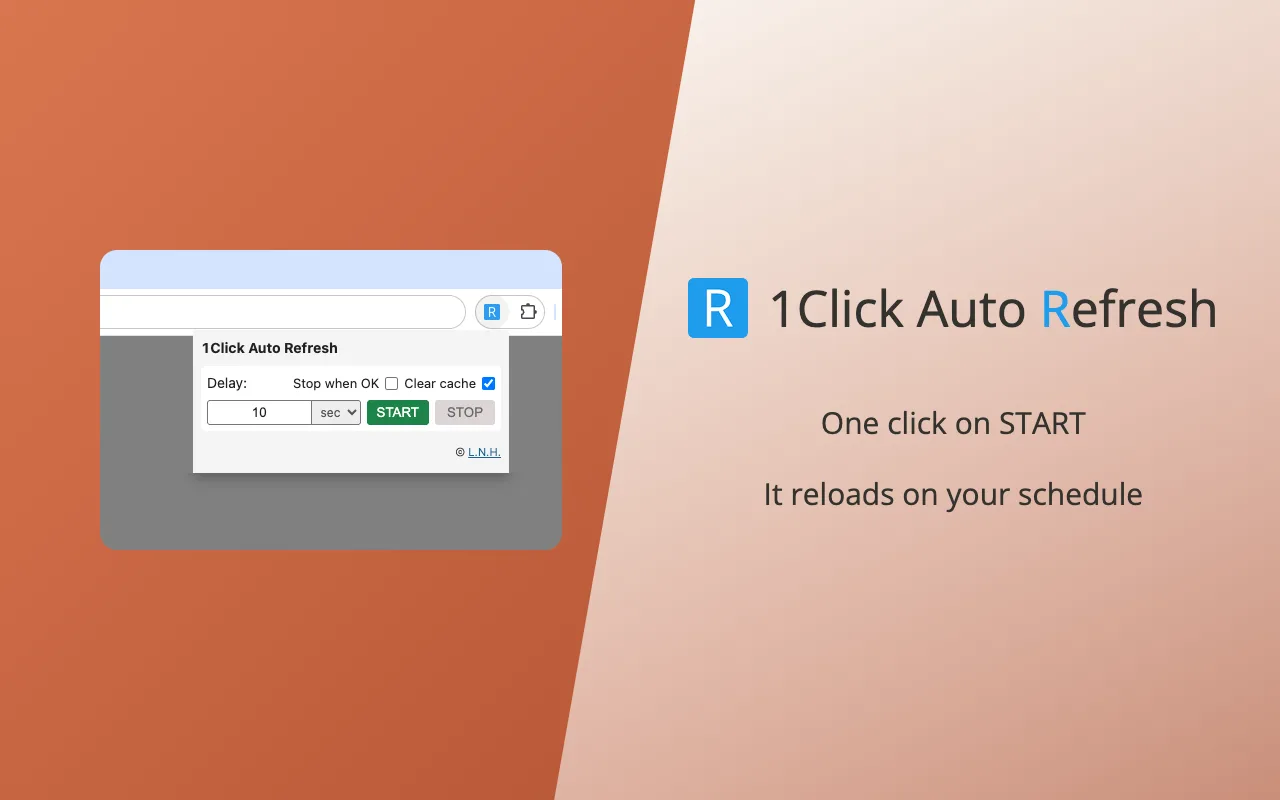
Set a refresh interval, press Start, and the tab reloads on its own — a page monitor for anything that will not tell you it has changed, so you can stop sitting on F5.

Free · No account · No data collection · English / 繁體中文 / 简体中文

1Click Auto Refresh icon

1Click Auto Refresh

Available in the Chrome Web Store

Set a refresh interval, press Start, and the tab reloads on its own — a page monitor for anything that will not tell you it has changed, so you can stop sitting on F5.

  • Refresh milliseconds apart, or check back once a day
  • Keeps refreshing after you close the window
  • Runs on several tabs at once, one timer each; the shortcut stops them all
  • Page load time in milliseconds, plus a refresh counter
  • Optional cache clearing, limited to the current site only
  • Marks the tab red while the site errors; can stop itself and mark it green on a normal answer
  • Stops by itself if the tab is closed
  • No data collection and no remote code
  • English, 繁體中文, 简体中文
Add to Chrome

Built to stay out of the way

Small enough to forget it is installed, careful enough to trust with a checkout page.

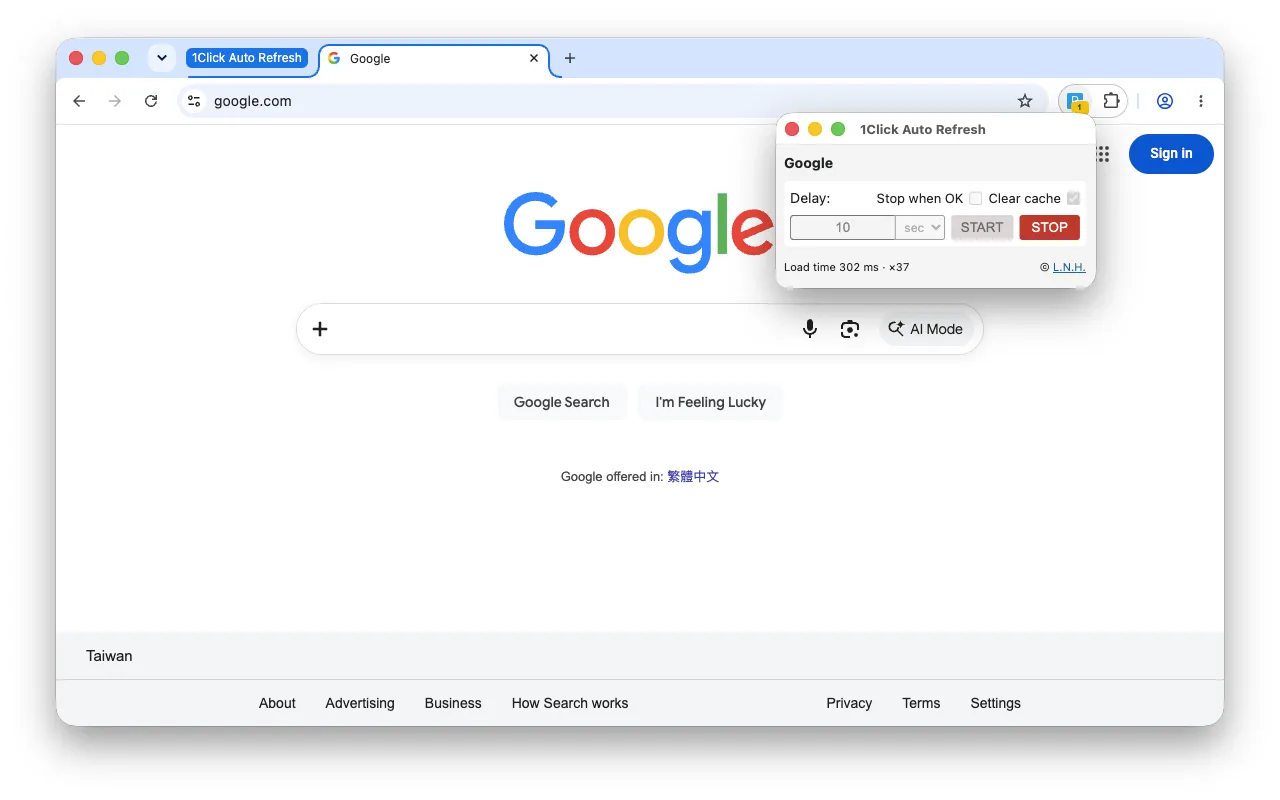
The controls pop out into a window

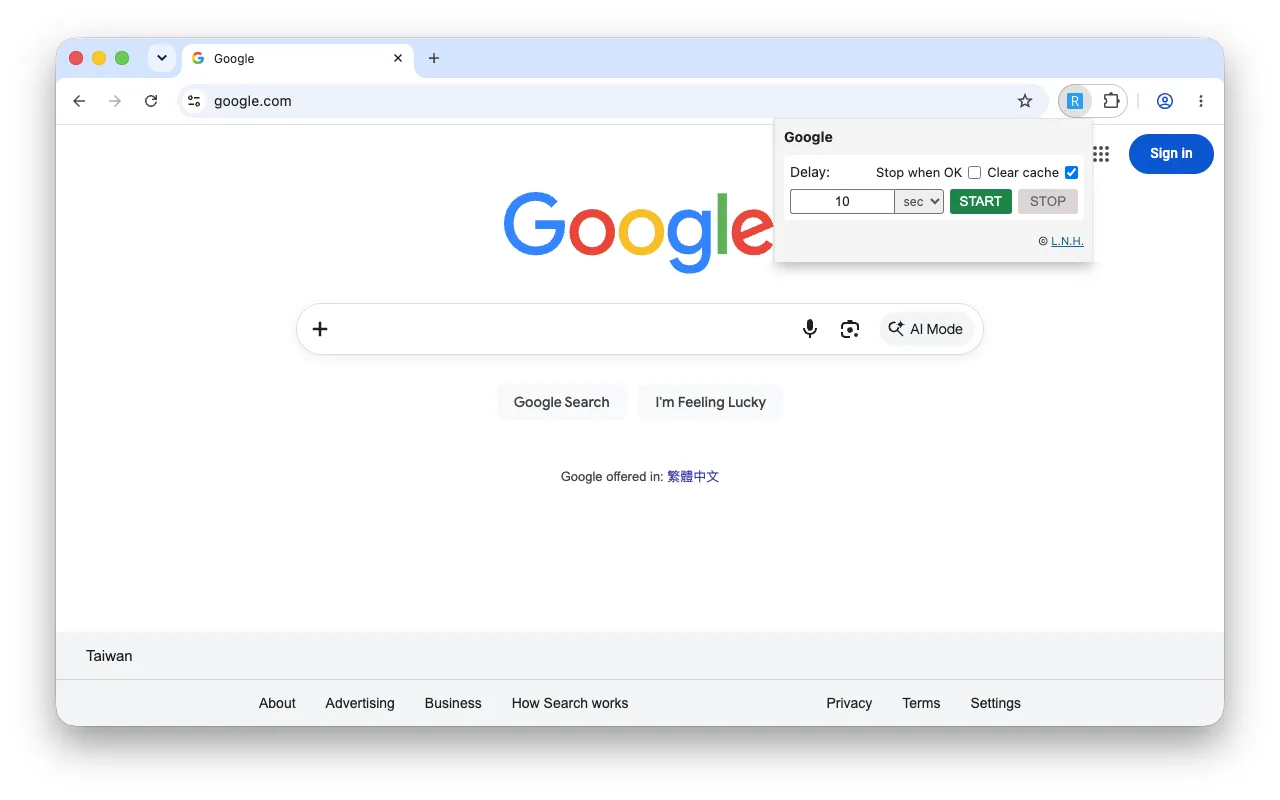
Press Start and the controls lift into a window of their own — Start, Stop, the live count and the countdown to the next reload stay in view. Closing it never stops the run; an amber badge on the toolbar counts how many runs are going.

Nothing leaves your browser

No analytics, no account, no remote scripts. Settings stay on your device for next time. Nothing is transmitted anywhere.

Free, every feature included

No paid tier, no trial, nothing held back — a small, self-contained piece of code with no libraries behind it.

Three languages

The whole interface is available in English, 繁體中文 and 简体中文, following your browser language.

Side by side

Both are free with every feature included. There is no paid tier and nothing is held back.

Feature 1Click Auto Refresh You are here Refresh n Click
Auto refresh on a timer
Find text or keyword on the page
Click the button automatically
Searches iframes & shadow DOM
Per-site cache clearing
Keeps running after you close the window
Interval range Milliseconds to 24 hours Fixed delay, or Fastest
Load time display Milliseconds Milliseconds
Data collection None None
Remote code None None
Languages English, 繁體中文, 简体中文 English, 繁體中文, 简体中文
Dark mode
Keyboard shortcut
Best for Watching a page change Clicking the moment a button appears
Size 21.18 KiBVersion 26.6 29.33 KiBVersion 26.6.3

What people use them for

Anywhere a page changes on its own and you need to know — or act — the moment it does.

Monitoring live pages

Prices, order status, queue positions, dashboards and results pages that never update by themselves.

Testing your own site

Reload after every deploy, watch load times move, and confirm a button appears when it should.

Use of the Extensions is subject to the terms of the websites on which they are operated. Ticketing, booking, retail and registration sites often restrict or forbid automated reloading and clicking, and you are responsible for confirming that it is permitted before use. The Extensions do not bypass queues, waiting rooms, rate limits or CAPTCHAs, and must not be used to try. See the Terms of Use. If you operate a website and believe an Extension is being used against your terms, write to legal@small-labs.com.

Questions

Does refreshing stop when I close the window?

No. The refresh loop runs in a background service worker, so it keeps going after you close the window. Pressing Start pops the controls into a window of their own, and an amber badge on the toolbar icon counts how many runs are going, and each running tab is marked in the tab strip — reopen the window to see the refresh count and press Stop.

How often can the page refresh?

As often as milliseconds apart, or as rarely as once a day — long waits are handed to Chrome's own scheduler, so they survive the extension going idle and survive your computer sleeping. If what you need is reload-until-a-button-appears, its sibling Refresh n Click covers 100 milliseconds to 10 minutes and adds a Fastest mode that reloads as soon as the previous load has finished.

Does clearing the cache affect my other tabs?

No. 1Click Auto Refresh limits cache clearing to the origin of the page being refreshed, so every other site keeps its cache. If your Chrome build cannot narrow it down, the extension skips clearing instead of wiping everything.

Does it collect any data?

No analytics, no account, no remote scripts, nothing transmitted. Settings stay in your browser. See the privacy policy for the full statement.

Can I stop a run with the keyboard?

Yes. A Stop shortcut is declared, but nothing is bound out of the box so it cannot clash with a shortcut you already use. Assign one at chrome://extensions/shortcuts — paste that into the address bar; it is not on the extension's own Details page. Chrome can also make it global, so a run can be stopped while another app is in front.

How do I report a problem?

Write to support@small-labs.com. The extension transmits nothing on its own, so your report is the only way we learn of a problem — please include which extension and version you use, your Chrome version, and what happened.