Does refreshing stop when I close the window?
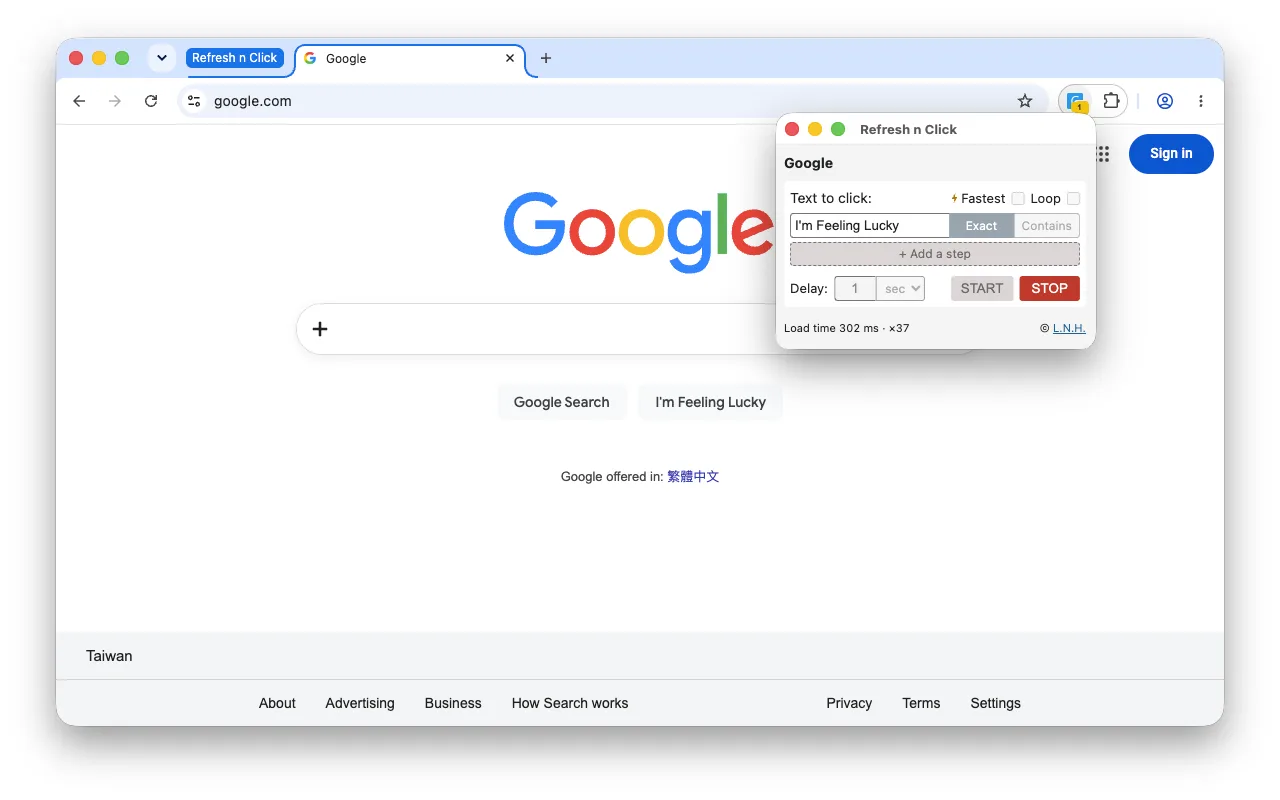
No. The refresh loop runs in a background service worker, so it keeps going after you close the window. Pressing Start pops the controls into a window of their own, and an amber badge on the toolbar icon counts how many runs are going, and each running tab is marked in the tab strip — reopen the window to see the refresh count and press Stop.
How often can the page refresh?
From 100 milliseconds to 10 minutes, plus a Fastest mode that reloads as soon as the previous load has finished rather than waiting out a fixed delay. For longer waits — as rare as once a day, handed to Chrome's own scheduler so they survive the extension going idle and your computer sleeping — its sibling 1Click Auto Refresh is the one built for that.
Can it click more than one button?
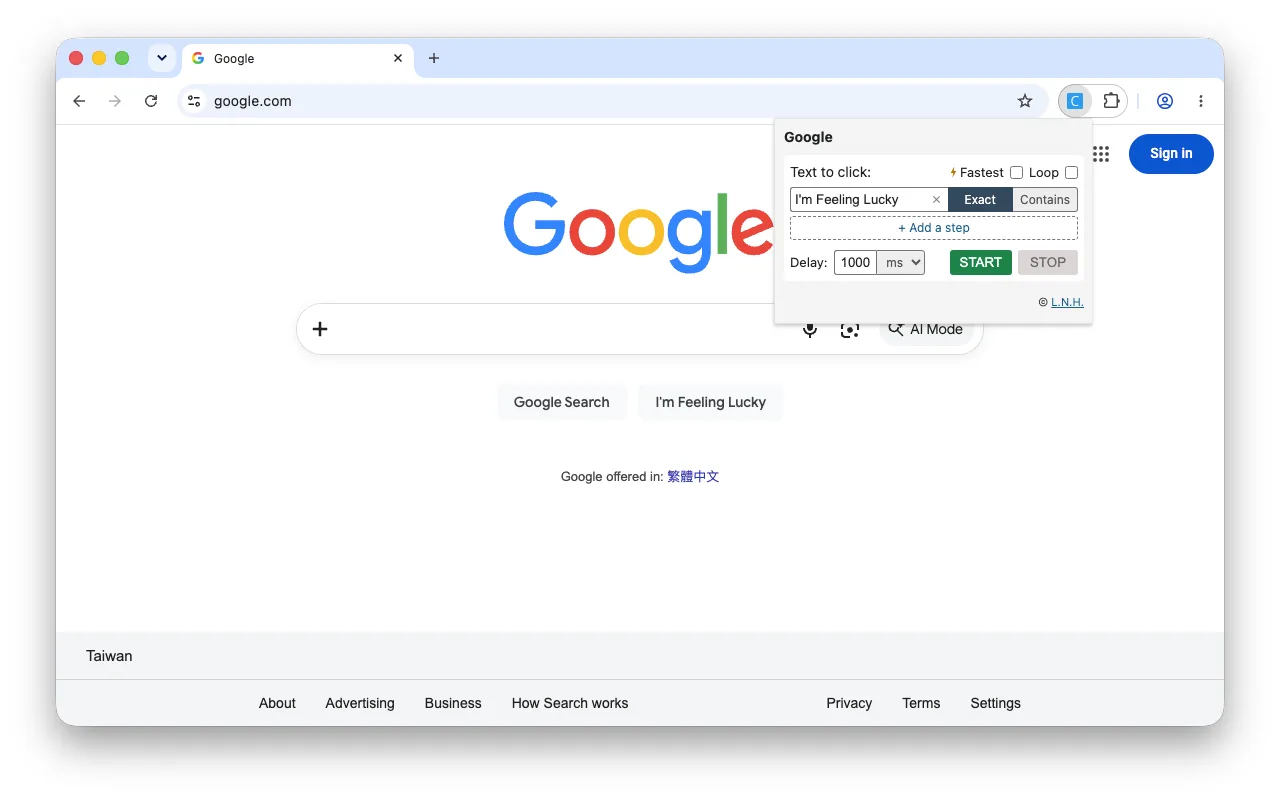
Yes — add a step for each and it works through them in order, for instance Add to cart, then Checkout, then Confirm order. There is no limit on how many steps a run carries. Each step has its own matching rule, so a checkout button carrying a basket count can be matched loosely while a short confirm word stays exact. Only the first step refreshes: once a click lands, the run watches the page the flow moved to rather than reloading a cart or a payment page, and it moves on only when the page actually reacts — a click that changed nothing stops the run instead of pressing on to the next step. It stops by itself once the last step is clicked, unless you have asked it to loop.
Can it cycle through a page's own tabs?
Yes — tick Loop and the list starts again at the top instead of ending. Each step is clicked, left on screen for the interval you set, then the next one, round and round until you press Stop. Nothing is reloaded on the way round: it is the same page from the first click to the last, which is what makes it usable on a dashboard or a status board that keeps its numbers behind its own tabs. One step loops too — a single button, pressed again every interval. And it still ends the moment something is wrong: a click the page ignores, or a step whose text never turns up, stops the run exactly as it would without looping.
The site sent me to a different domain. Did the run die?
No. Chrome takes an extension's access to a page away the moment it moves to a different site — a checkout handing off to a payment provider, a queue system passing you on — and Refresh n Click pauses rather than throwing the run away: your list of steps and how far through it is are both kept, and the tab's mark turns amber. Click the toolbar icon and press “Allow this site” to carry on from where it stopped. If the page returns to a site it can already reach, it picks up again on its own. A pause nobody answers ends the run after a few minutes rather than waiting for ever.
Can it click a button inside an iframe or a web component?
Yes. Refresh n Click searches every frame on the page and also looks inside open shadow roots, so buttons in embedded checkout widgets and modern web components are found rather than missed.
Will it click a hidden or disabled button by mistake?
No. Anything hidden, fully transparent, disabled or not accepting pointer events is skipped. Pages often keep an invisible copy of a button in the markup, and clicking that one would do nothing while looking like success. A click on the real button can still land on a page that ignores it, so it waits a moment afterwards and tells you when nothing responded.
It said it clicked, but nothing happened. Why?
A click made by a script is not a click made by a mouse, and some pages only act on the second. That is why the outcome is checked rather than assumed: when nothing on the page moves afterwards it says so instead of reporting success. It is a limit of what any extension can do from inside the page, not a fault.
The button has extra spacing inside it. Will the text still match?
Yes. Line breaks and indentation are ignored, and the ideographic spacing often used to pad short Chinese and Japanese labels is handled too, so 確 定 matches when you type 確定.
Does it collect any data?
No analytics, no account, no remote scripts, nothing transmitted. Settings stay in your browser. See the privacy policy for the full statement.
Can I stop a run with the keyboard?
Yes. A Stop shortcut is declared, but nothing is bound out of the box so it cannot clash with a shortcut you already use. Assign one at chrome://extensions/shortcuts — paste that into the address bar; it is not on the extension's own Details page. Chrome can also make it global, so a run can be stopped while another app is in front.
How do I report a problem?
Write to support@small-labs.com. The extension transmits nothing on its own, so your report is the only way we learn of a problem — please include which extension and version you use, your Chrome version, and what happened.