


Recolors pages so look-alike colors become tellable apart

Pick the type of color vision deficiency you have, turn it on, and pages are recolored so the colors that used to look the same become tellable apart — charts, dashboards, online shopping, video and animation.

Free · No account · No data collection · 22 languages

Hue Shift icon

Hue Shift

Available in the Chrome Web Store

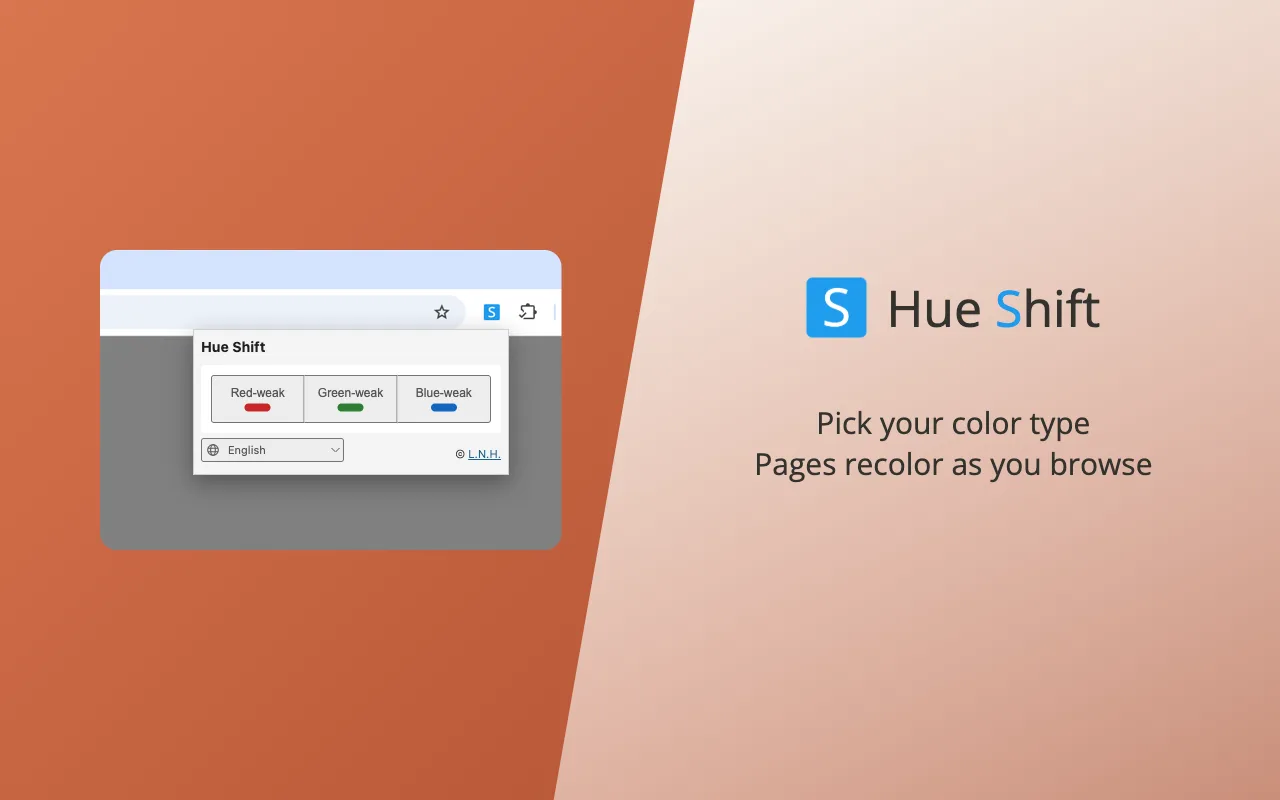
Three types — red-weak (protan), green-weak (deutan), blue-weak (tritan) — and five strength levels. The page’s own colors are remapped and images and video are filtered, in one consistent scheme.

  • Recolors the page’s own colors — text, backgrounds, borders — and filters images and video
  • Three types: red-weak, green-weak, blue-weak — pick once, it is remembered
  • Five strength levels, so a partial deficiency is not over-corrected
  • Colors that would still collide after filtering are pushed apart in lightness
  • A live preview beside the strength control: a paired swatch shows the correction working, at the strength you picked
  • New colors on a live page join the same scheme without reshuffling
  • Turn it off and every page is restored exactly as it was
Add to Chrome

Goes further than a filter

A plain color filter shifts everything the same way. Hue Shift also pushes apart the colors that would still collide, using lightness — the one axis every kind of color vision keeps.

Nothing leaves your browser

No analytics, no account, no remote scripts. It stores only whether it is on, the type and strength you chose, and your popup language. Nothing is transmitted anywhere.

Free, every feature included

No paid tier, no trial, nothing held back — a small, self-contained piece of code with no libraries behind it.

22 languages

The interface ships in 22 languages — English, 繁體中文, 简体中文, 日本語, 한국어 and seventeen more — following your browser language, with a switch in the popup.

The same page, before and after

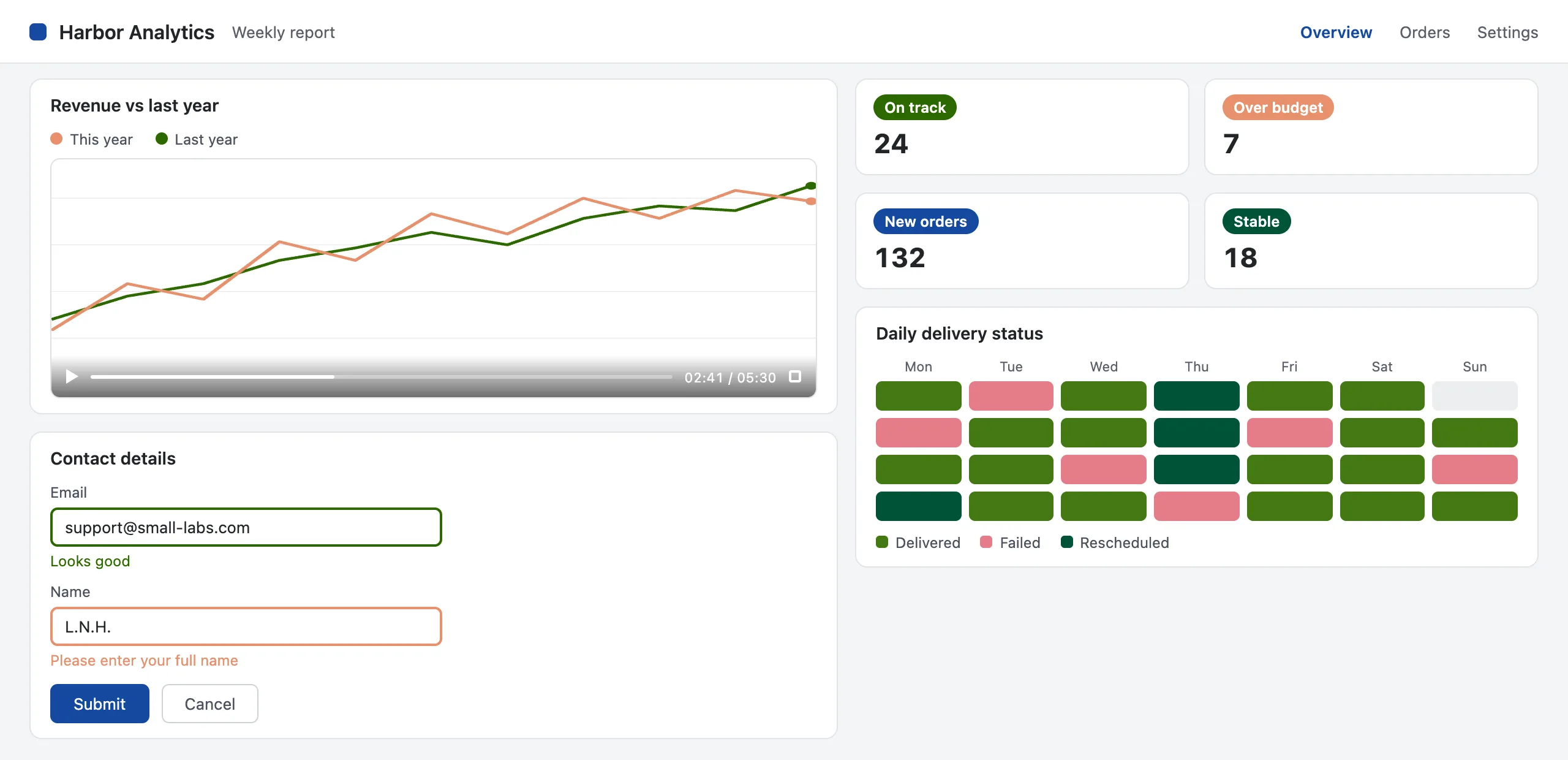
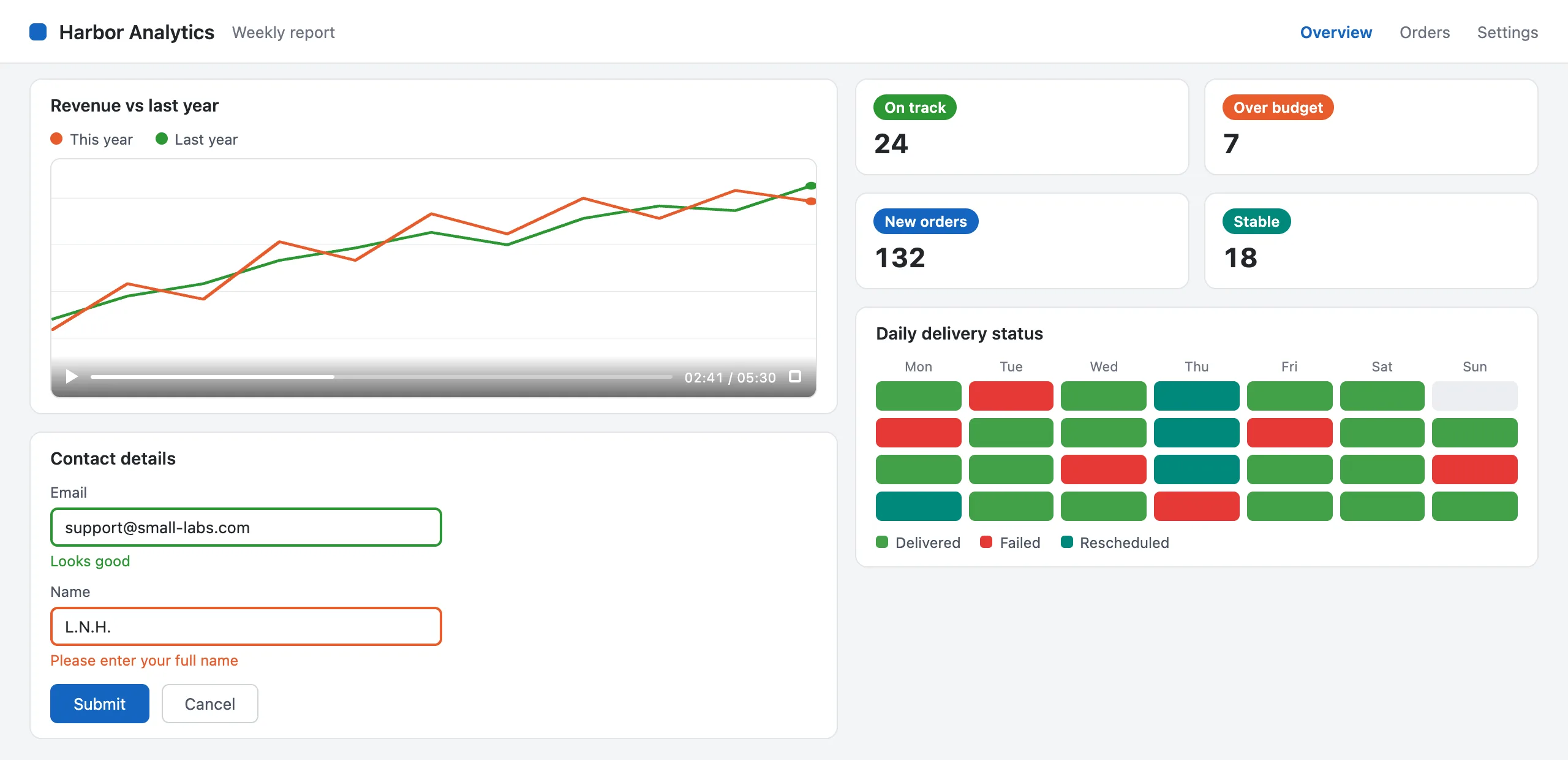
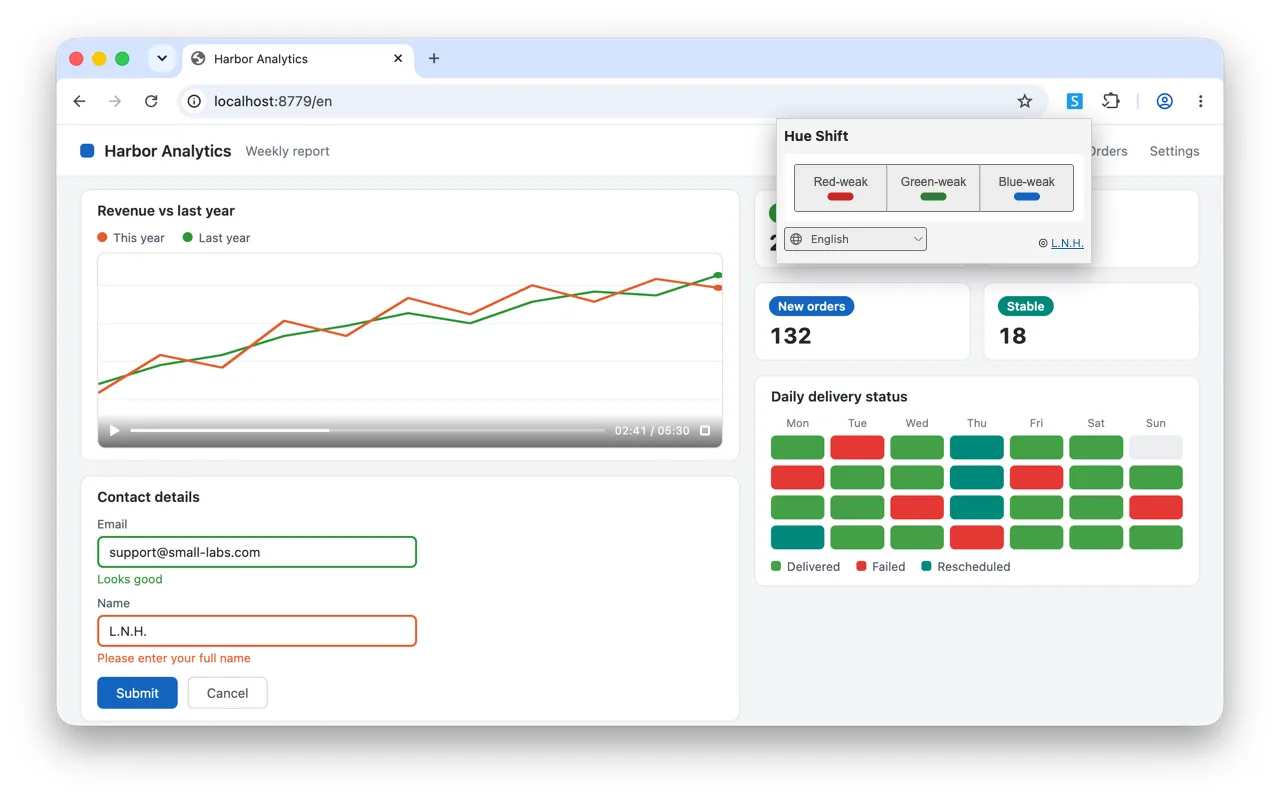
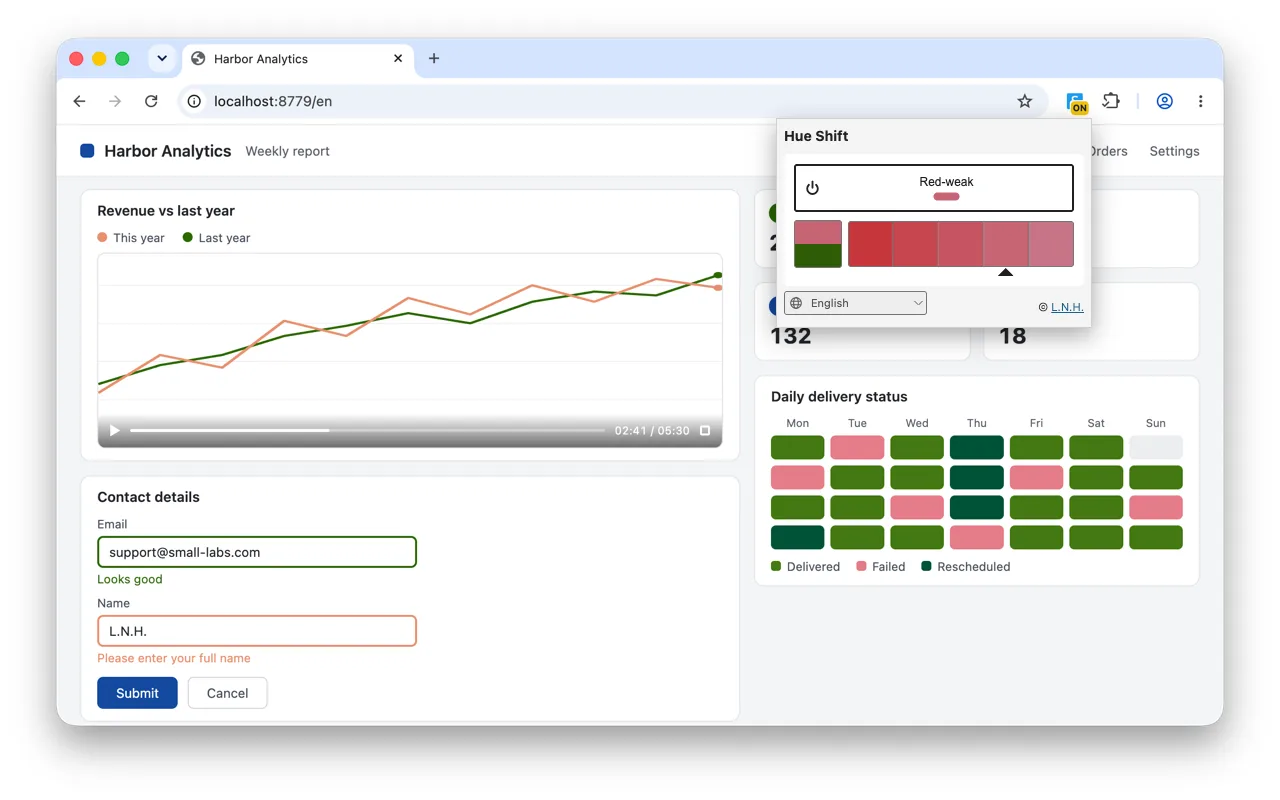
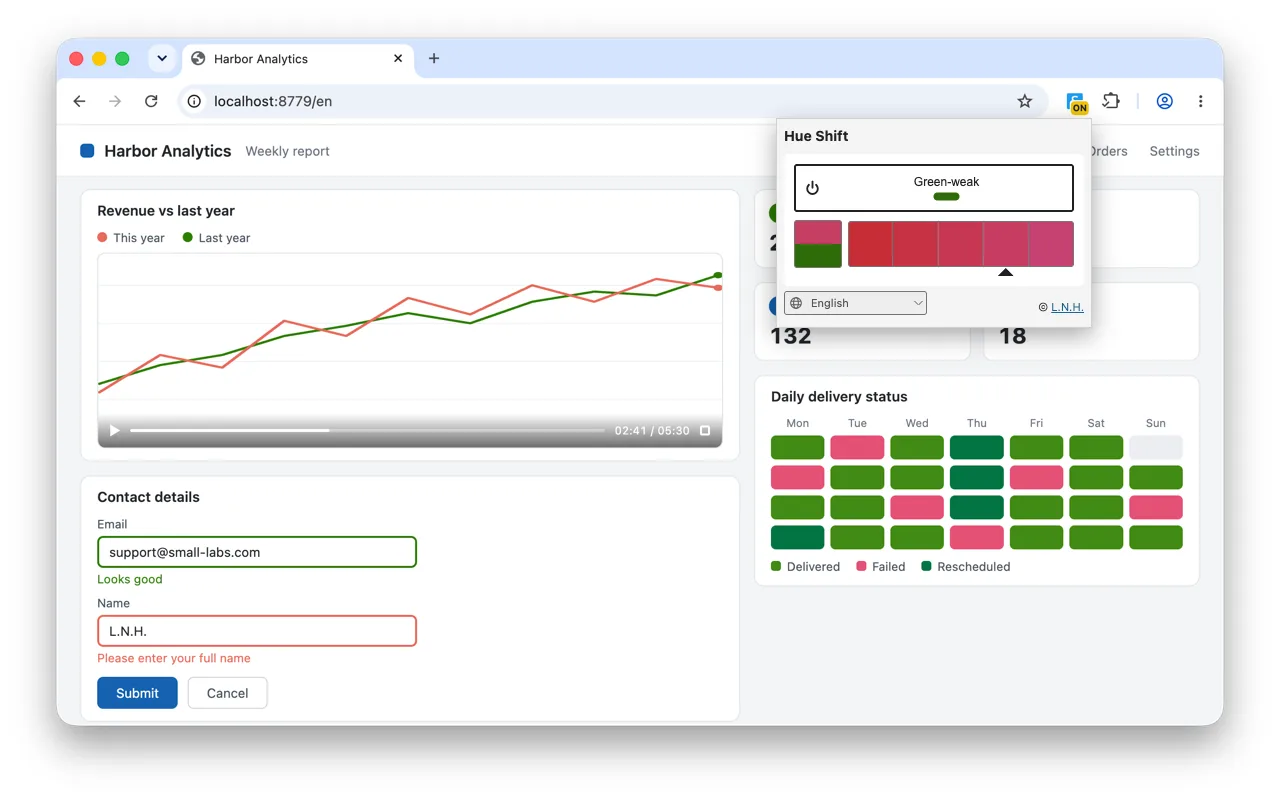
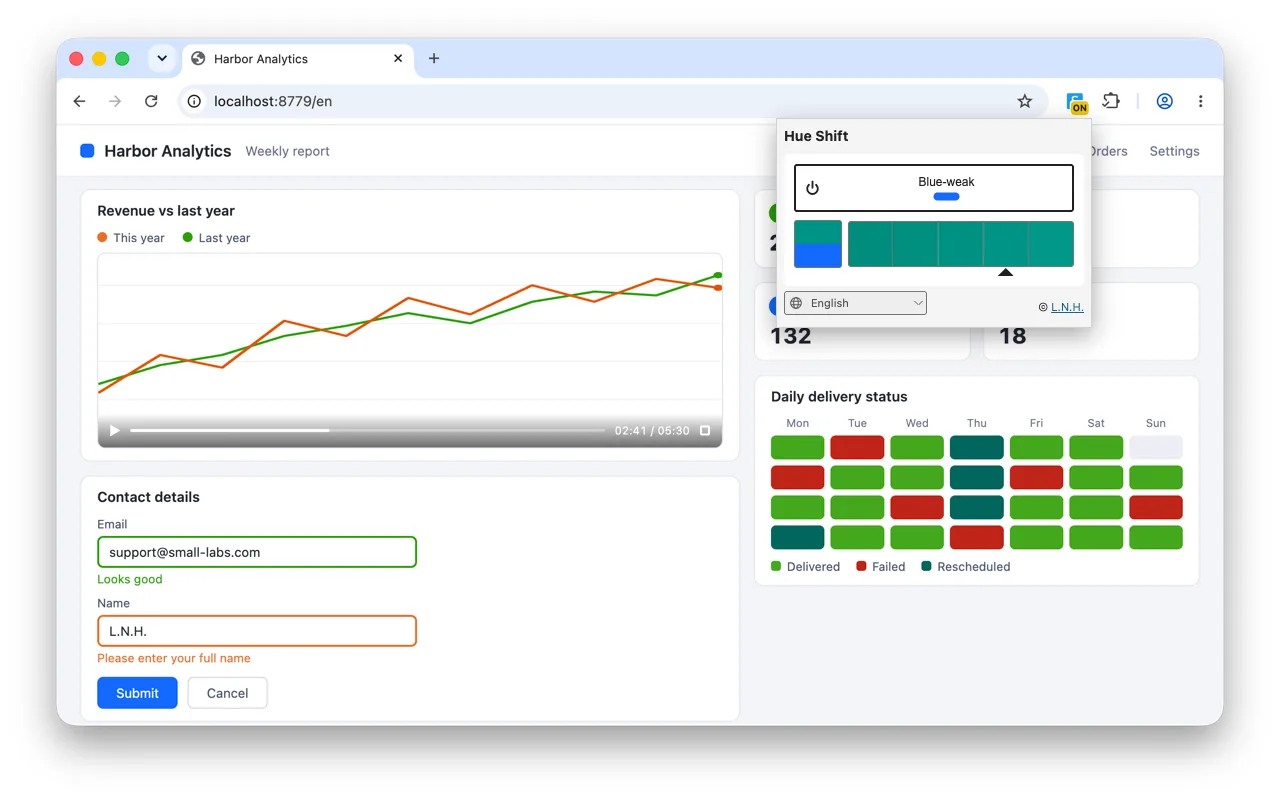
Drag the divider, and pick a type below — each pair is a real capture of Hue Shift at strength 4. What you see depends on your own color vision: colors that run together on the right stay tellable apart on the left.

The same dashboard recolored by Hue Shift at red-weak, strength 4
A dashboard with charts, form messages and a delivery heatmap, in its original colors

What people use it for

Anywhere a page says something with color alone.

Charts and dashboards

Chart lines, categories and heatmaps whose colors run together are pushed apart, so each series stays its own.

Watching video

Video gets the same filter as images — team colors in a match, characters in animation and film, game maps and chart lines in explainers stay tellable apart.

Shopping online

Product colors, variant swatches and sale tags, told apart before you order.

Questions

Is this a simulator for designers?

No — the opposite. A simulator shows people with typical color vision what a page looks like under color blindness, so designers can check their work. Hue Shift is for the colorblind viewer: it recolors the page so the colors you have trouble telling apart become distinguishable.

Which pages cannot be recolored?

Chrome’s own pages, the Chrome Web Store and other extensions’ pages — Chrome does not allow any extension to touch them. The popup says so when you are on one.

Does it work on video?

Yes — video gets the same filter as images. Two exceptions: some DRM-protected video is composited outside the page, and a picture-in-picture window is drawn by the browser rather than the page, so both keep their original colors.

Does it collect any data?

No analytics, no account, no remote scripts, nothing transmitted. It keeps three things in your browser: whether it is on, the type and strength you chose, and the popup language if you picked one. See the privacy policy for the full statement.

Is this a treatment or a vision test?

No. It changes how colors are displayed to you. It does not change your eyes, and it is not a treatment, a test, or a substitute for one.

How do I report a problem?

Write to support@small-labs.com. The extension transmits nothing on its own, so your report is the only way we learn of a problem — please include which extension and version you use, your Chrome version, and what happened.